Pimcore Direct Edit Client
Pimcore Direct Edit Client is a desktop client that is necessary to allow local file edits. It is an electron application that listens to all direct edit requests and handles all client-side interactions like downloading assets data, launching the associated application, watching for changes of the file and uploading the changed asset data back to Pimcore.
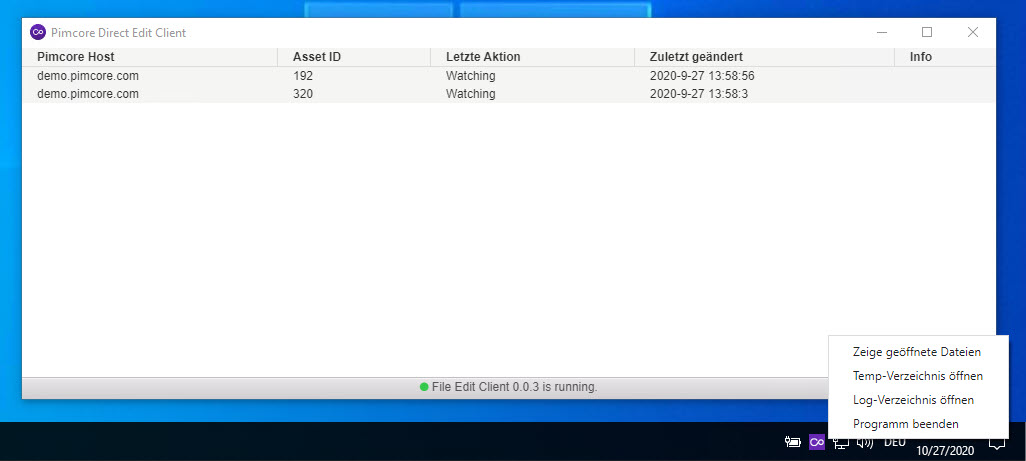

Installation
To install it, download latest and run the setup:
-
The installation process will install the client typically in the user's
C:\Users\youruser\AppData\Local\Programs\pimcore-direct-edit-client\directory. -
A file protocol handler (
pimcorefile) will be added to the Windows registry, which picks up the communication between Pimcore and the local client.
Debugging
In C:\Users\<your-user>\AppData\Roaming\Pimcore File Edit Client\logs\main.log you
will find a log file that may be helpful to analyse a running application.
MacOS Preview App
Direct Edit saves the image locally in the folder /Users/{USERNAME}/Library/Caches/com.pimcore.file-edit
The Library Folder is something like the System Temp Folder.
Regardless of the file, the preview app always produces a copy in the folder when editing (instead of overwriting the file), and the changes are not uploaded to Pimcore.
There are two ways to handle this:
- Use another app for image editing (the Preview app is not really an image editing tool)
- Modify the image so that it is saved somewhere else.
- Keep in mind that the image is no longer be found in the temp folder provided by the system.