Configuration
Configuration takes places in configuration files or can be applied directly in Pimcore backend userinterface.
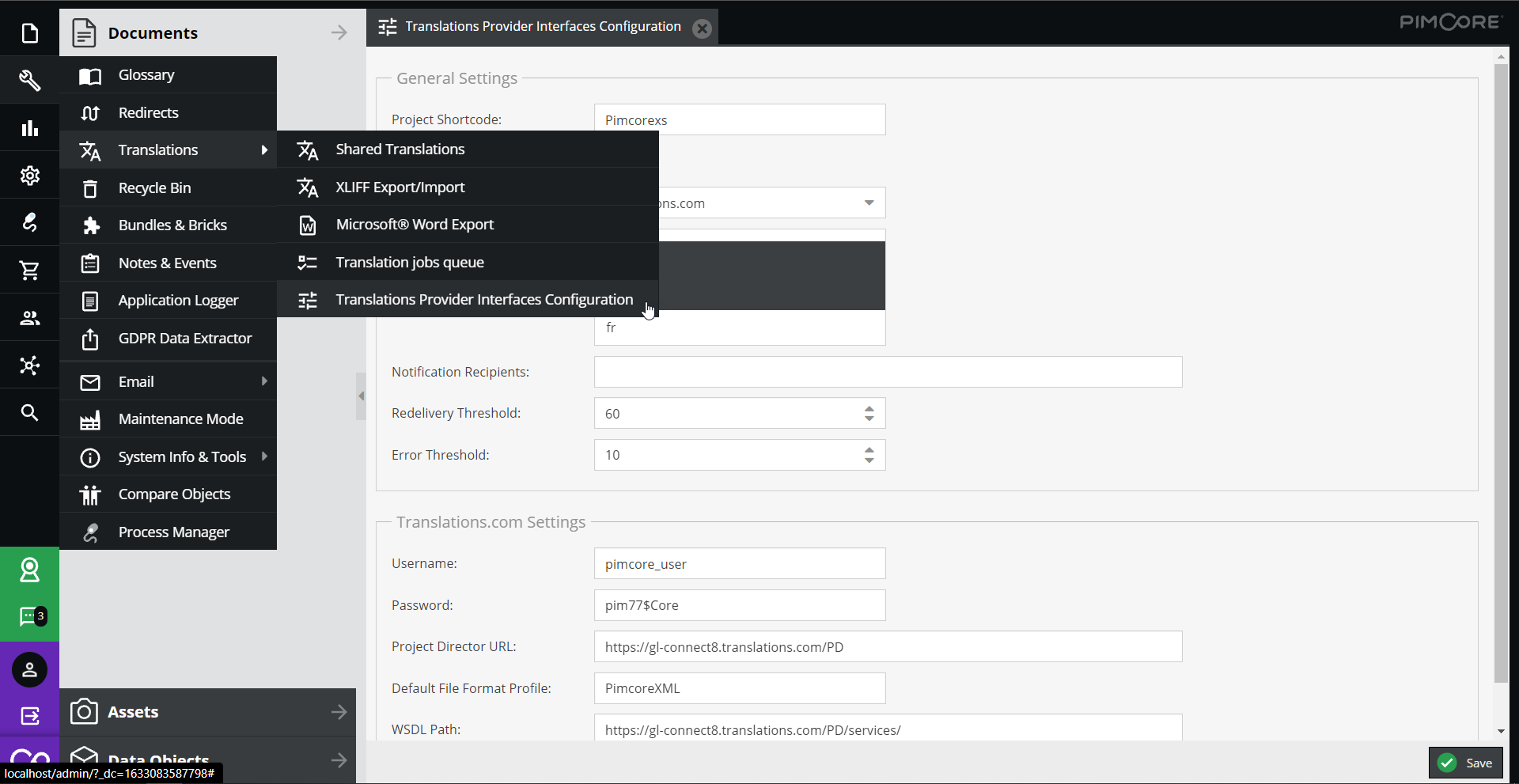

Configuration Storage
The configuration user interface utilizes the LocationAwareConfigRepository for storing the configuration.
In the symfony tree the storage location can be configured, possible values are
symfony-config- write configs as Symfony Config as YAML files to/var/config/translations-providersettings-store- write configs to the SettingsStoredisabled- do not allow to edit/write configs at all
Details also see Pimcore Docs.
Example
pimcore_translations_provider_interface:
    config_location:
        translations_provider_interface:
            write_target:
                type: 'symfony-config'
                options:
                  directory: '/var/www/html/var/config/translations-provider'
Additionally, it is also possible to define the configuration directly in a symfony configuration file without using the configuration user interface. In this case, the configuration user interface is just read only.
Following configurations are available via symfony configuration tree. Use
bin/console config:dump-reference PimcoreTranslationsProviderInterfaceBundle for most up-to-date list.
# Default configuration for "PimcoreTranslationsProviderInterfaceBundle"
pimcore_translations_provider_interface:

    # Configuration of general settings
    settings:

        # Automatically submit translation job after created. If set to false, command has to executed to submit jobs (=default).
        auto_submit:          true

        # Default provider used in the Pimcore Backend UI.
        default_provider:     ~

        # Comma separated list of user names or user email addresses for error notification.
        notification_recipients: ~

        # Comma separated list of supported languages. If not set then it defaults to Pimcore\Tool::getValidLanguages.
        allowed_languages:    ~

        # Check redelivery not older than X days.
        redelivery_threshold: 60

        # Maximum number of communication attempts before job goes into error state.
        error_threshold:      10

        # Project Shortcode of translation Provider.
        project_shortcode:    Pimcore

    # Configuration of translations.com settings
    translations_com:
        project_director:
            url:                  ~
            username:             ~
            password:             ~
            defaultFileFormatProfile: PimcoreXML
            wsdlPath:             'https://gl-connect2.translations.com/PD/services/'

    # Configuration of xplanation settings
    xplanation:

        # Authentication key of xplanation
        key:                  ~

        # Authentication salt of xplanation
        salt:                 ~