Work with Workflow Automation Integration
The Workflow Automation Integration functionality can be accessed from the sidebar menu in the Tools > Automation Blueprints section.
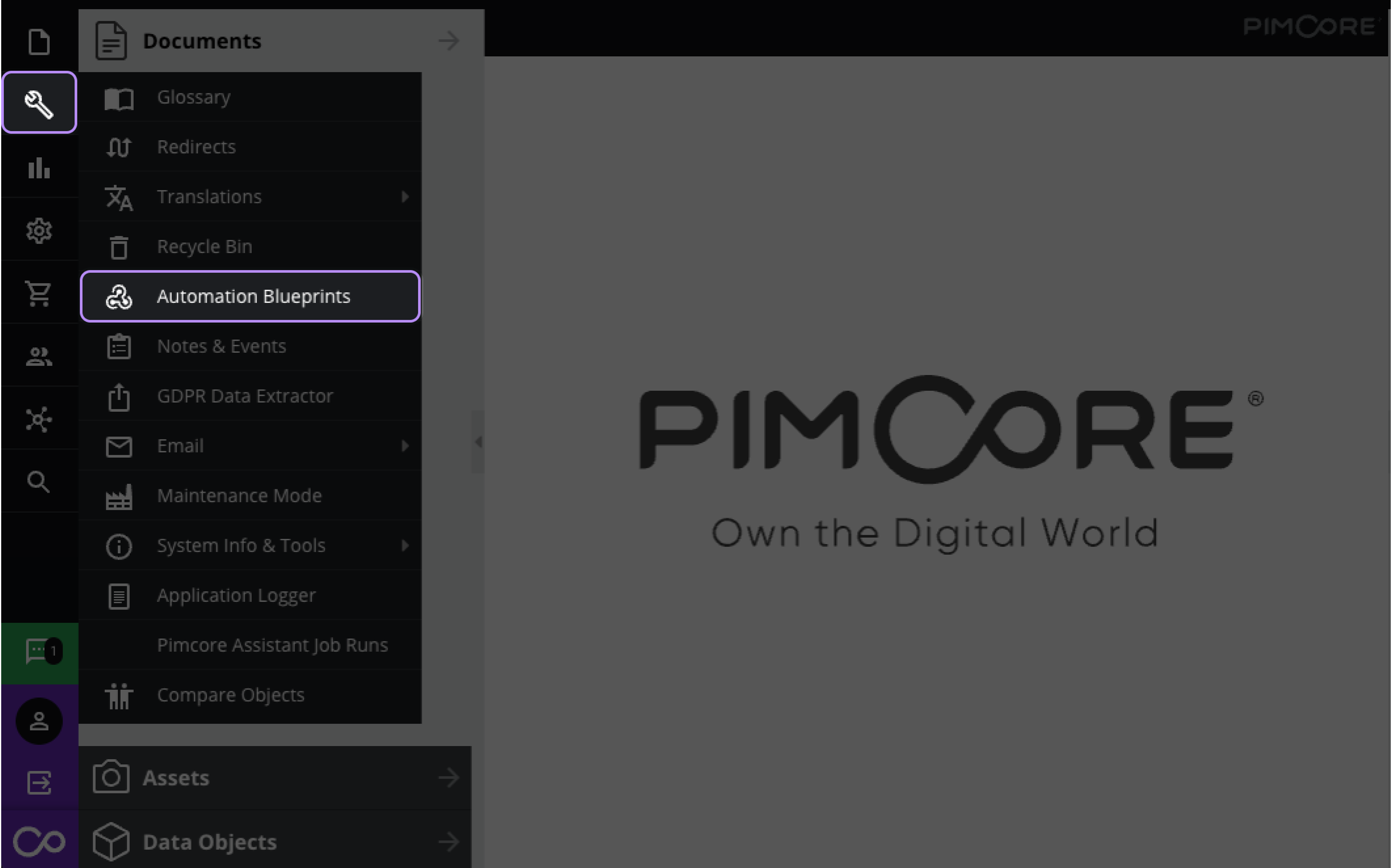

Download Automation Blueprints
The Automation Blueprints window displays the list of all GraphQL and webhook endpoints configured in Pimcore Datahub and available according to the user's permissions and the following restrictions:
- For GraphQL endpoints, the configuration must have a query or a mutation schema defined.
- For webhook endpoints, the configuration must listen to the
pimcore.dataobject.postAddandpimcore.dataobject.postUpdateevents have aSchemadefined forData Object.
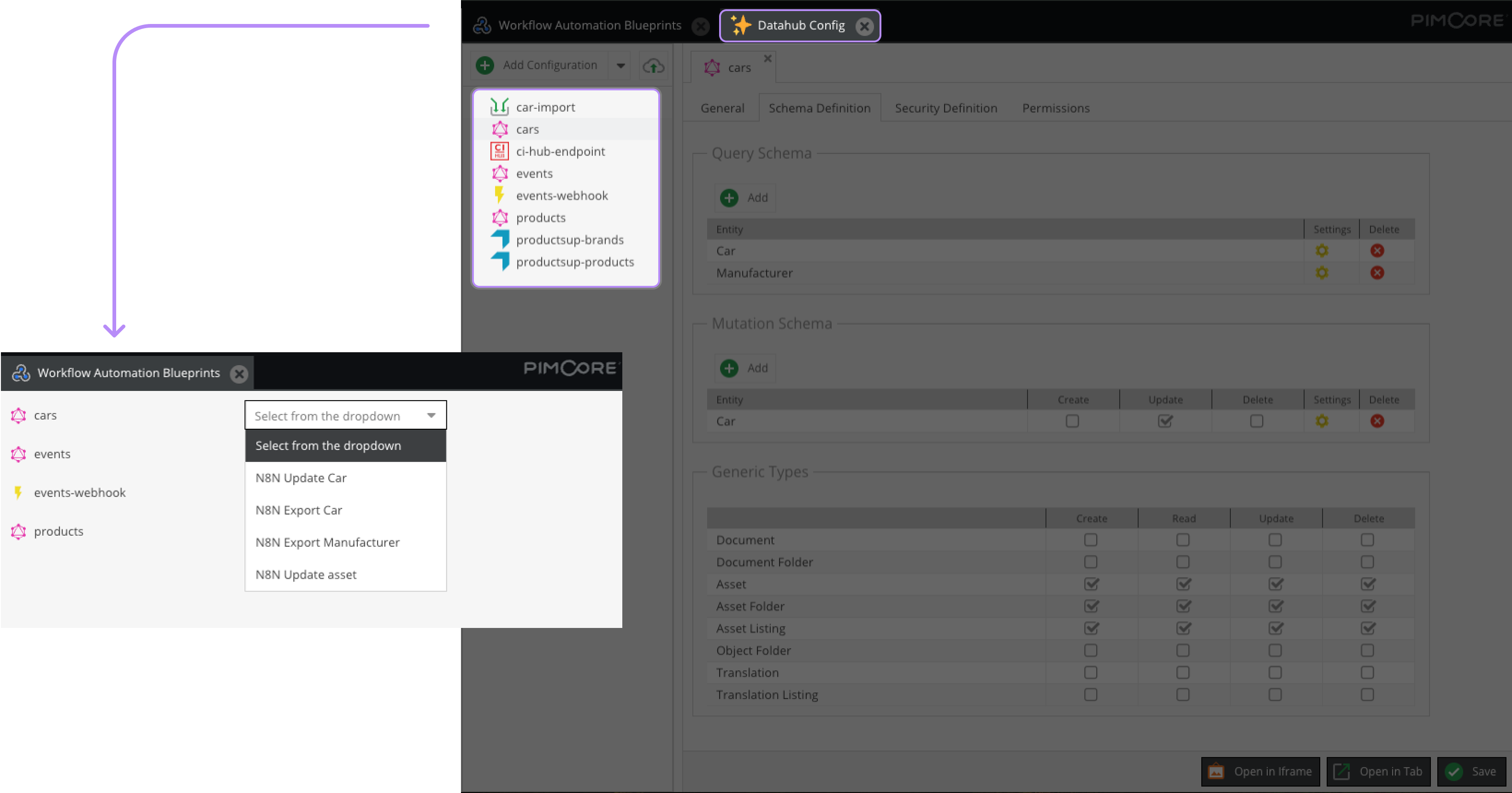

For each item in the list, you can download automation blueprints in a JSON file - that you can further import and execute in n8n - from the right dropdown menu.
The options available in this menu depend on your endpoint's type and Schema Definition.
GraphQL Blueprints
For a GraphQL endpoint you can download blueprints to:
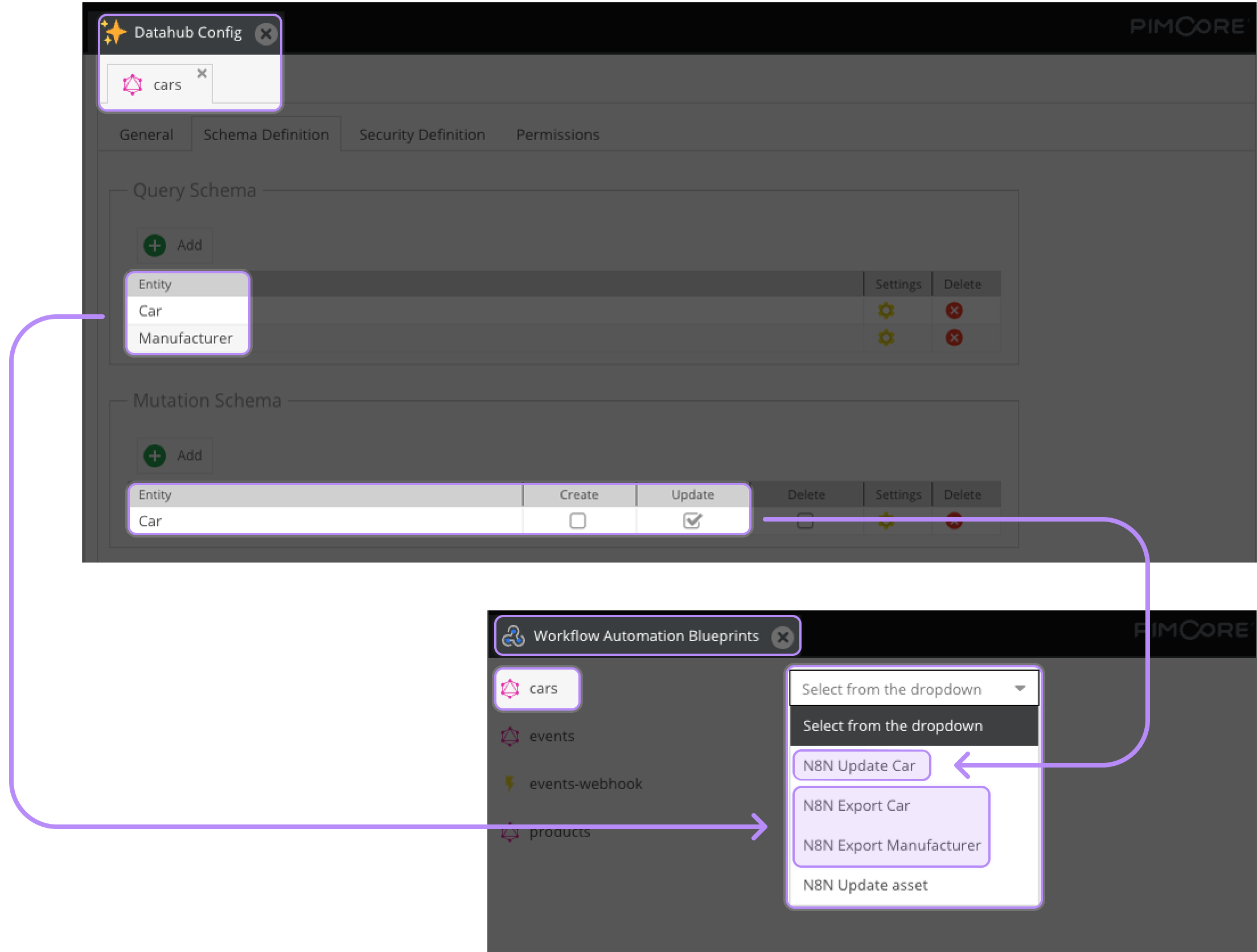
n8n Export *Object*: Export the attributes of Data Objects corresponding to anEntitydefined in yourQuery Schema in a spreadsheet. A workspace with
 Readpermission must be defined for Data Objects inSecurity Definition.
Only the following attributes are supported for exports - all other attributes considered in the Query Schema will not appear in the final spreadsheet:
- Generic Attributes:
- ID
- Key/Path
- Data Objects:
- Text
- Number
- Date
- Select
- Localized Field
- Checkbox
n8n Update *Object*: Update the first text field of Data Objects corresponding to anEntitydefined in yourQuery Schema with the Updateoption enabled asMutation Schema. A workspace withUpdatepermission must be defined for Data Objects inSecurity Definition.n8n Update Asset: Update the first metadata field of Assets corresponding to anEntitydefined in yourQuery Schema with the Updateoption enabled asMutation Schema. A workspace withUpdatepermission must be defined for Assets inSecurity Definition.

Webhook Blueprints
For a Data Objects-focused webhook endpoint, you can download a Process Item blueprint to listen to your webhook, update your Objects' first text attribute and write the corresponding data in a spreadsheet.
Your webhook Datahub configuration needs:
- to have an
Entitydefined inSchema Definition Data Objects; - to listen to
pimcore.dataobject.postUpdateandpimcore.dataobject.postAdd.
When downloading your automation blueprint, you need to add a valid webhook URL of your n8n instance in the related field. This URL consists of:
- the
http://orhttps://protocol; - the host name of your n8n instance;
- the
/webhook/or/webhook-test/path -webhook-testbeing used by default for testing purposes.
For example, a webhook URL could be: https://pimcore.com/non-example/webhook-test.